
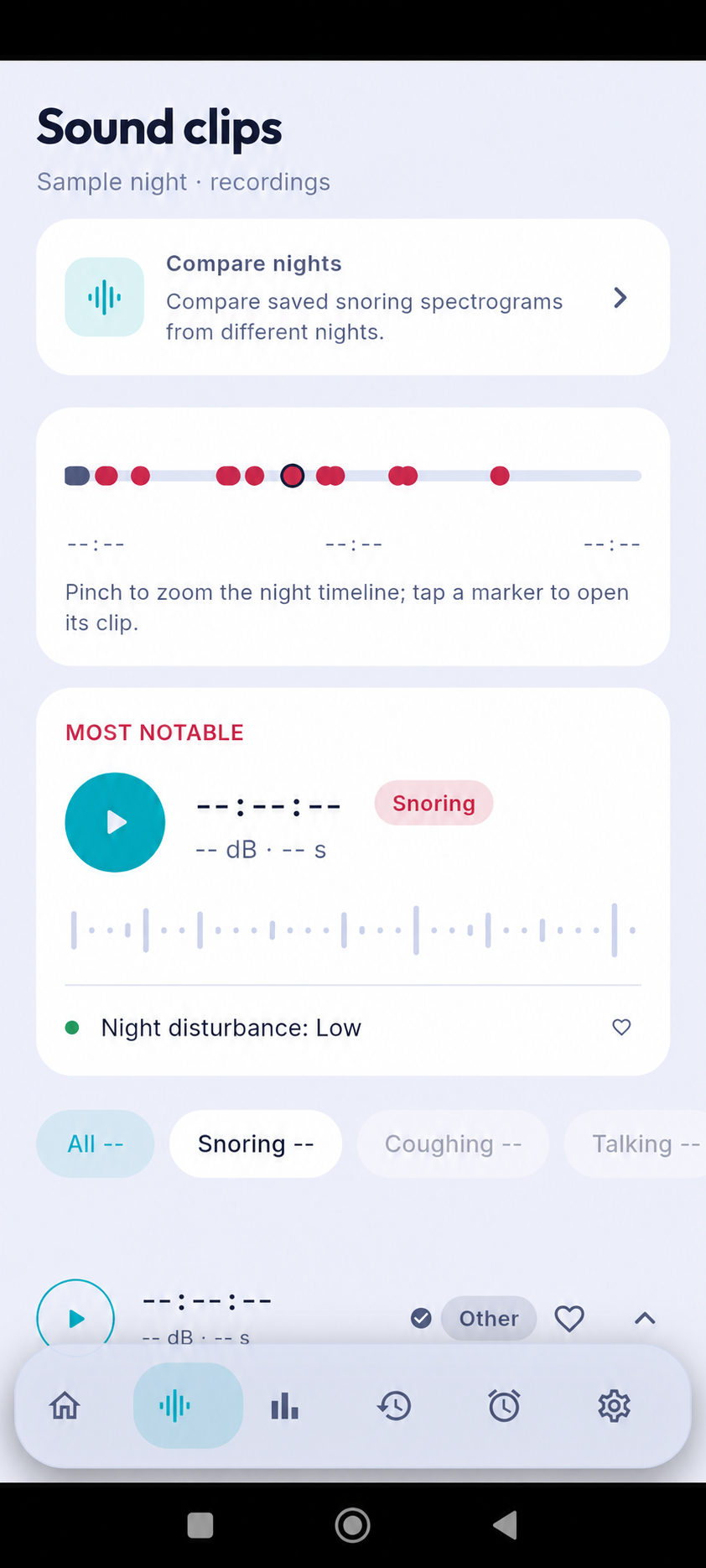
A nighttime event timeline turns a long session into a view you can scan. It can help you locate sound clips and notice when events appeared, but it is not a complete map of sleep stages or a measure of health. Use the timeline as an index for personal review, then listen to selected clips and add context from your own routine.
Read the timeline as an overview
Start with the full session and notice the broad distribution of markers. A few events close together may be easier to review as a group, while long quiet stretches can provide context. The visual is designed to help you navigate the session; it does not show everything that happened in the room.
The number and spacing of markers can be affected by background sound, phone placement, and the app’s detection settings. Avoid treating dense sections as proof of poor sleep or quiet sections as proof that nothing occurred.
Open markers selectively
Tap a marker that you want to understand and listen to its clip. Check whether the sound is clear, whether another room noise overlaps it, and whether the suggested label seems plausible. If it remains uncertain, keep that uncertainty in your notes rather than guessing.
You do not need to listen to every clip on every morning. Select a few that are relevant to a question you have, such as whether a sound repeats, and leave the rest for later. This keeps review from becoming a source of bedtime or morning stress.
Add context from your own night
A timeline becomes more useful when paired with a brief note about circumstances: a different room, an open window, a late shift, or a change in your phone position. Personal notes describe your experience and can help you remember why two timelines look different.
Compare several nights before deciding that a pattern is meaningful. Sleep and room noise vary, and an app’s markers do not establish cause and effect. Keep observations descriptive, such as “noticed more room noise,” rather than turning them into a diagnosis.
Keep privacy and health questions in perspective
Before replaying or sharing audio, consider whether another person could be recognized and whether they are comfortable with the recording. Use retention and deletion controls to manage clips. If a sound raises a concern, a timeline can help you organize a question, but it cannot answer it medically.
AuraSleep is a wellness app, not a medical device. Seek advice from a qualified healthcare professional for persistent sleep concerns, observed breathing pauses, or significant daytime sleepiness.
Use a sleep event timeline to find and organize moments for review, not to grade a night. Open selected markers, listen in context, record relevant circumstances, and look for broad patterns across multiple sessions while respecting privacy.
Sources
- NHLBI: Healthy Sleep Habits · View source
- AASM/SRS: Recommended Amount of Sleep for a Healthy Adult · View source