
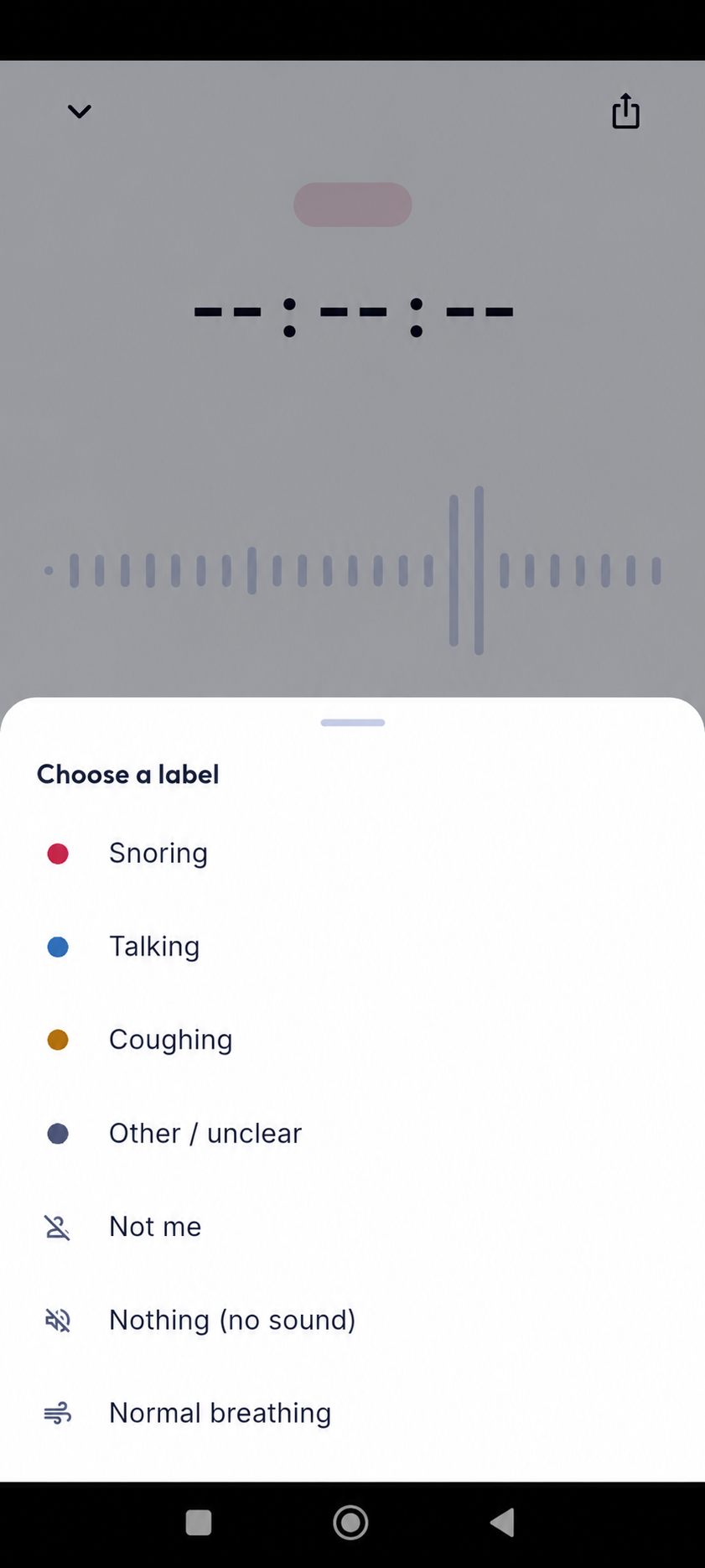
A sound label can help organize a recording, but an automatic or first-pass category may not match what you hear. Reviewing a clip gives you a chance to correct your own record, choose an unclear option, or leave the label as it is when the sound cannot be identified confidently. The label describes a short audio event; it does not explain its cause.
Listen for what is actually audible
If you choose to review a clip, listen only to the segment needed and consider whether the sound is clear enough to categorize. A label picker may offer options such as snoring, talking, coughing, other, or no sound. Use the closest option only when the recording supports it; “unclear” is a useful result when it does not.
Avoid inferring who made a sound or why it occurred from a brief recording. Background noise, distance, and overlapping sounds can make interpretation difficult. If the clip does not provide enough information, do not force a confident label.
Keep your correction separate from diagnosis
An event label is a way to organize your personal review, not a validated diagnosis. For example, a label that says “snoring” cannot establish sleep apnea. NHLBI notes that snoring can be one symptom to discuss, while diagnosis involves a health professional and may require a sleep study.
If you hear repeated loud snoring, gasping, breathing pauses, or have persistent daytime sleepiness, consider discussing those concerns with a qualified health professional. The app can help you remember what you noticed, but it cannot evaluate breathing or diagnose a sleep condition.
Protect audio and respect others in the room
Before replaying or sharing a recording, consider whether another person could be heard. Review privacy and retention controls, limit access to clips, and avoid sharing audio that includes someone else without considering their privacy. Correcting a label does not remove the underlying recording.
If you save a note about the correction, keep it brief and factual, such as “changed to unclear after replay.” A personal label can help organize a timeline, but it remains an interpretation of a recording rather than a clinical measurement.
Correct a sound label only when the clip supports the change. Use an unclear category when appropriate, protect the recording, and treat labels as personal organization—not a medical conclusion.
Sources
- NHLBI: Sleep Apnea Symptoms · View source
- NHLBI: Sleep Apnea Diagnosis · View source