
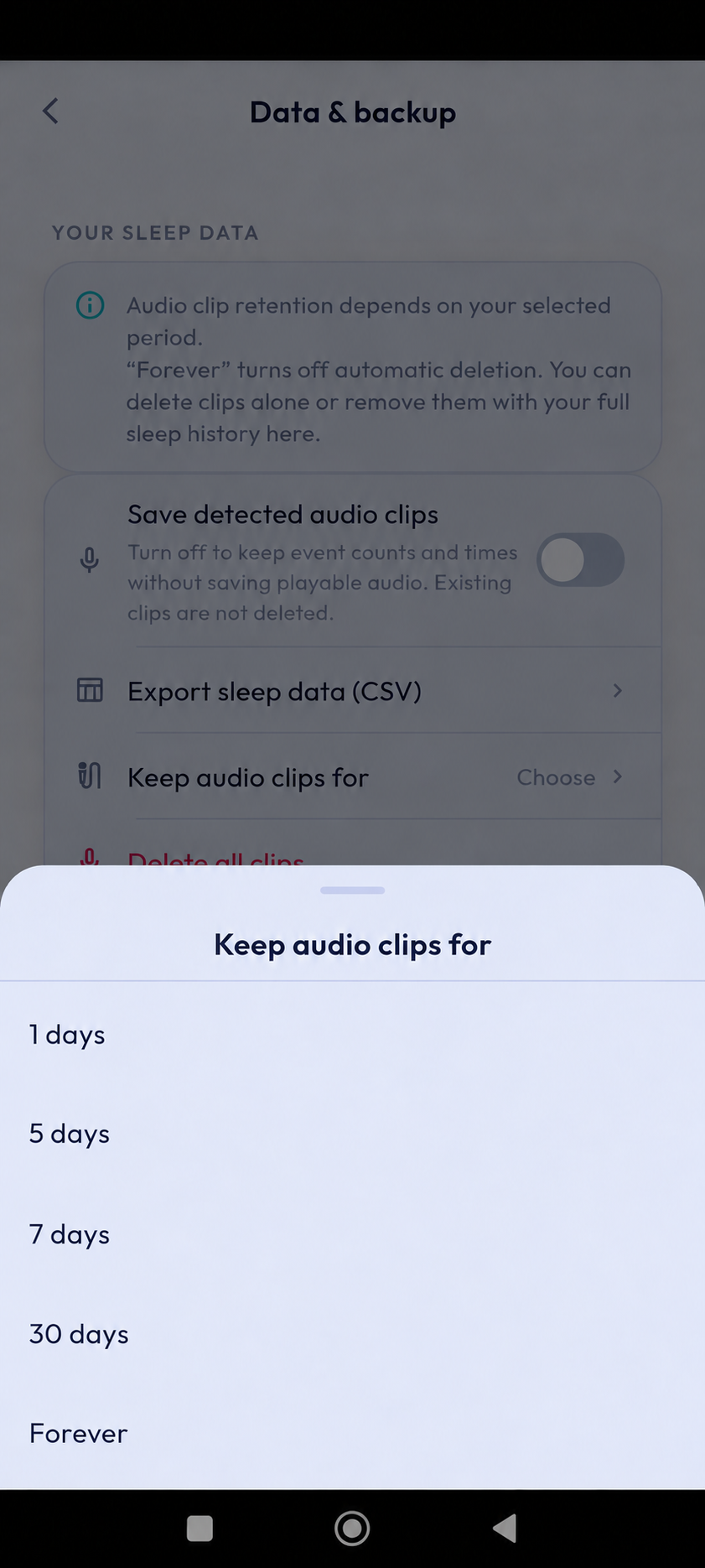
A retention period determines how long saved sleep audio clips remain available before automatic deletion. Choosing one is a practical privacy decision: keeping a clip can help you review a sound event, while keeping fewer recordings reduces the amount of personal audio stored. The right choice depends on how you use the feature and what the app’s current settings allow.
Start with how you review clips
Think about whether you listen to clips soon after waking, compare a few nights, or rarely open them. If you review events regularly, a shorter period may give you enough time without building a large archive. If you need more time, select a longer option only after checking what it means and whether the app explains automatic deletion clearly.
You may not need playable audio for every night. Some apps can keep event counts or timestamps while audio saving is off; check the description in your own settings before relying on that behavior. Existing clips may need to be deleted separately when you change a setting.
Understand automatic deletion and exceptions
Read the retention notice and the options shown in the app. Confirm whether the period applies to each clip from its creation date, whether deletion happens automatically, and whether exported files or backups are included. An option such as “Forever” may disable automatic cleanup, so choose it only if you intentionally want ongoing storage and understand how to remove clips later.
Changing a retention preference may affect future clips without removing recordings already saved. Review the clip list and use its delete controls when you want to remove existing audio. Do not assume that deleting a session, changing a setting, or uninstalling the app removes every export or backup.
Review your choice from time to time
Revisit the setting when your routine changes, after trying a new feature, or if you notice that you are no longer reviewing clips. Keep only what is useful for your own review, and use the shortest period that fits that purpose. Before sharing an export, check its contents and store it somewhere you control.
Retention settings can reduce how long clips stay in the app, but they do not make audio collection risk-free. Consider other people who may be audible in your room and follow their expectations. AuraSleep is a wellness app, not a medical device; recorded events are not a diagnosis.
Choose a retention period that gives you enough time to review useful clips while avoiding storage you do not need. Check what automatic deletion covers, remove older clips separately when necessary, and revisit the setting as your habits change.
Sources
- AuraSleep Privacy Policy · View source
- AuraSleep Support · View source